Soulcalibur II
| Console | GameCube ROMs > ROMs |
|---|---|
| Publish | 22 Jul 2026 |
| Emulator | Dolphin Emulator |
| Genre | Action, Fighting |
| Region | USA |
| Size | 744 MB |
| Format | .rvz |
| Downloads | 812 |
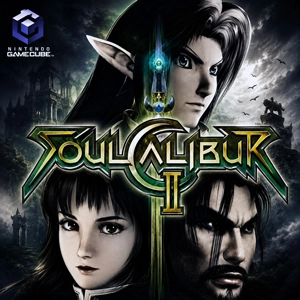
The Soulcalibur II GameCube ROM contains the USA console release as a disc image for Dolphin on PC or Android. It is not an installable PC edition. Once the emulator reaches the character screen, the platform difference is easy to spot: Link occupies the guest slot that belongs to Heihachi on PlayStation 2 and Spawn on Xbox.
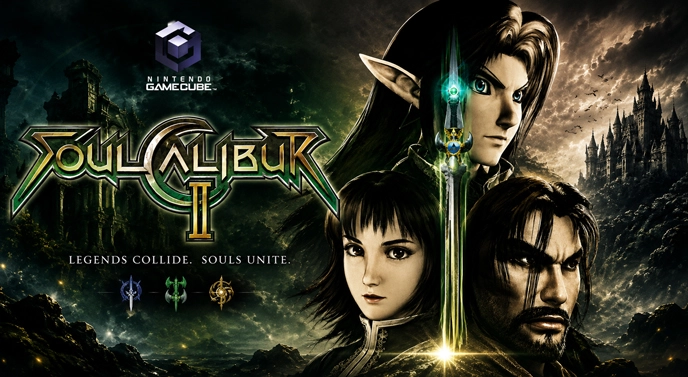
Playing as Link still feels like playing Soulcalibur. His sword and shield must deal with the same long weapons, sidesteps, and dangerous stage boundaries as the regular cast. Kilik can keep him outside with a staff. Ivy can threaten from a distance that changes in the middle of an attack. Link has to find his way through those matchups rather than relying on his crossover status.
A new player can get through the early fights by repeating a dependable attack. That habit stops working once an opponent begins moving sideways. Vertical strikes can break through horizontal swings, yet the 8-Way Run can carry a fighter around the path of a vertical blow. Horizontal attacks catch that movement. Watching where the opponent steps soon matters as much as watching their weapon.
The edge of the arena creates another problem. A fighter may have most of the health bar left and still lose after one careless retreat. Push the opponent beyond the boundary and the round ends immediately. Some stages give both players plenty of floor; others make every backward step feel expensive.
Holding guard can prevent a bad exchange from becoming worse, but it also leaves the other fighter in control. A well-timed Guard Impact knocks an incoming weapon aside and creates a moment to answer. Miss the timing and the strike arrives anyway. Near the edge, that small mistake can decide the round.
Soul Charge needs a different opening. Knocking the opponent away may leave enough room to begin charging the weapon, but waiting for the strongest level takes time. The full blue charge can add guard-breaking or unblockable properties to certain attacks. An opponent who closes the distance before it is ready can interrupt the entire attempt.
Following Soul Edge Through Weapon Master
The hunt for the scattered pieces of Soul Edge is laid out across Weapon Master’s world map. Its chapters do not send the player into the same arcade match repeatedly. A mission can change the way victory is earned or alter the condition of the selected fighter. Skipping the short briefing may leave an otherwise sensible plan useless.
Gold is awarded after battles and can be spent at shops along the route. Even a defeat provides some, so an unsuccessful mission does not leave the player with nothing. Weapons purchased during the journey later become available in Extra modes instead of remaining locked to the campaign.
Link’s Zelda equipment is uncovered through this progression. The Master Sword and Hylian Shield are joined by the Biggoron Sword and Megaton Hammer. Then there is the bug-catching net. It is clearly not meant to look heroic, and that is exactly the point of the weapon.
Weapon Master carries the longer single-player experience, while Arcade removes the map and goes directly from one CPU opponent to the next. Practice is useful once character commands, Guard Impact timing, and different attack heights start to pile up. Local VS Battle handles a straightforward match between two players. Survival, Time Attack, and Team Battle remain available for players who want a limited-health run, a faster clear, or an elimination lineup.
Dolphin and the Extracted GameCube File
A compressed archive is only the container around the game. Extract it first, then check the extension of the GameCube image inside. Dolphin accepts formats such as ISO and GCM as well as compressed RVZ files. Changing the name of a ZIP, RAR, or 7Z archive does not convert it into a playable ROM.
Standalone Dolphin has the most direct setup for this release. RetroArch can also open GameCube images through its Dolphin core, although that core needs the correct Dolphin Sys folder before it behaves reliably.
Dolphin’s compatibility database lists Soulcalibur II as Playable rather than Perfect. A known visual issue can remove lens flares when the sun appears behind certain stages. The missing effect is cosmetic and should not be mistaken for absent characters or a broken game image.
Map a GameCube controller to Port 1 before launching the ROM. A local two-player match also needs a Standard Controller assigned to Port 2. On Android, a physical controller leaves Guard Impact, Soul Charge, and combined button inputs far less cramped than the touchscreen layout.
Soulcalibur II has its own 16:9 screen setting. Select the wider ratio from the game’s Display Settings, set Dolphin’s aspect ratio to Force 16:9, and leave the separate Widescreen Hack disabled.