Pokemon ROMs

Pokemon is a long-running franchise released across several Nintendo systems, so the games come from different eras, consoles, and file formats. This page keeps Pokémon titles together in one organized list, grouped by platform and generation, so you can spot the game you want quickly, open its page for the important details, then download and play without guessing.

You will also see popular fan-made projects listed when they are shared as patches. Patches are the usual way to try ROM hacks and community upgrades because they apply changes to a base game copy you already own, and they help you avoid mixing different releases or saves by accident.

Older handheld generations are usually small because the original hardware had strict limits. As the consoles get newer, file sizes grow, and you can feel the same step-up in visuals and features—larger regions, more mechanics, and bigger post-game content. If you are choosing between version pairs, the main adventure stays similar, but exclusives and encounter differences can affect the team you build and the Pokémon you can catch.

Read More
Pokemon Sun
55418 3.4

Pokemon Sun

Nintendo 3DS

Pokemon X 3ds Cover
42912 3.7 1.3 - 1.6 GB

Pokemon X

Nintendo 3DS

Pokemon Y
20944 3.7

Pokemon Y

Nintendo 3DS

Pokemon Omega Ruby
18749 3.7

Pokemon Omega Ruby

Nintendo 3DS

Pokémon Ultra Sun and Ultra Moon
9778 3.7

Pokemon Ultra Sun and Ultra Moon

Nintendo 3DS

Pokemon Alpha Sapphire Cover
9533 4.2 1.54 GB

Pokemon Alpha Sapphire

Nintendo 3DS

Pokemon Let's Go Pikachu
9533 3.5

Pokemon Let’s Go Pikachu

Nintendo (NES)

Pokemon Infinite Fusion
8858 3.6 1.55 GB

Pokemon Infinite Fusion

GBA

Pokemon Ultra Sun
6803 3.9

Pokemon Ultra Sun

Nintendo 3DS

Pokemon Sun and Moon
6686 3.6

Pokemon Sun and Moon

Nintendo 3DS

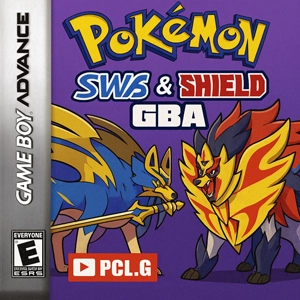
Pokemon Sword & Shield
5855 3.5 8 MB

Pokemon Sword & Shield

GBA

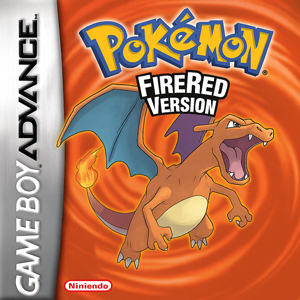
Pokemon Fire Red
4552 3.6 5 MB

Pokemon FireRed

GBA

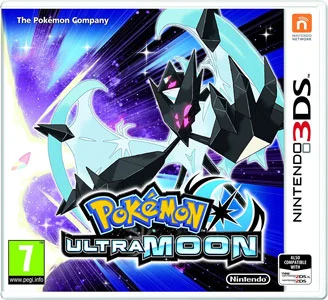
Pokemon Ultra Moon ROM Icon
3702 3.6

Pokemon Ultra Moon 3DS

Nintendo 3DS

Pokemon Supernova Sun
3577 4.0 2.7 GB

Pokemon Supernova Sun 3DS

Nintendo 3DS

Pokemon Platinum Rom NDS Nintendo DS USA Download
3335 4.5 48 MB

Pokemon Platinum

Nintendo DS (NDS)

Pokemon Ultra Violet Rom GBA v1.22 Download
3285 3.6 5 MB

Pokemon Ultra Violet

GBA

Pokemon Emerald
2943 3.5 6.7 MB

Pokemon Emerald

GBA

Pokemon Rutile Ruby and Star Sapphire Rom
2692 4.1 1.5 GB

Pokemon Rutile Ruby and Star Sapphire

Nintendo 3DS

Pokemon Black 2 (US) (frieNDS)
2666 3.5 146 MB

Pokemon Black 2

Nintendo DS (NDS)

Pokemon Radical Red Rom
2540 3.6 11.38 MB

Pokemon Radical Red

GBA

Pokemon Penumbra Moon Rom
2522 4.0

Pokemon Penumbra Moon

Nintendo 3DS

Pokemon Red Rom GBC Gameboy Color Download Rom
2383 3.6 369 KB

Pokemon Red

Gameboy Color (GBC)

Pokemon Ruby Rom GBA (V1.1)
2240 3.4 4.7 MB

Pokemon Ruby

GBA

Pokemon HeartGold Version Rom NDS Nintendo DS Download
2230 3.7 38.7 MB

Pokemon HeartGold

Nintendo DS (NDS)

Pokemon Nova Hoenn Rom
2203 3.9

Pokemon Nova Hoenn

Nintendo 3DS

Pokemon Star Rom
2157 4.0 2.4 GB

Pokemon Star

Nintendo 3DS

Pokemon White Rom
1917 3.7 105 MB

Pokemon White

Nintendo DS (NDS)

Pokemon Photonic Sun Rom
1814 4.0

Pokemon Photonic Sun

Nintendo 3DS

Pokemon ROMs can be played on both PC and mobile, as long as you pair the game’s original console with the right emulator and keep your files tidy. A lot of the “it won’t run” stuff is simple: wrong emulator, mixed regions in one folder, or trying to load the game straight from a compressed archive.

PC and phone basics

On Windows PCs and laptops you usually get steadier performance, easier controller setup, and fewer slowdowns on heavier systems like Nintendo DS and Nintendo 3DS. On Android phones, the classic generations are great for quick sessions, and a Bluetooth controller helps a lot for longer play. The routine stays the same either way: install the correct emulator first, then use the file format that belongs to that console, and keep each game’s saves separated.

Console match that prevents most issues

  • Game Boy and Game Boy Color games are lightweight and usually run smoothly on almost any device
  • Game Boy Advance is also easy to run, but save conflicts happen when you keep several releases in one folder
  • Nintendo DS depends more on correct save handling and touch support than raw speed
  • Nintendo 3DS is the most demanding group, so stable settings matter more than pushing visuals

Common Pokémon ROM file formats by system

  • Game Boy and Game Boy Color: .gb, .gbc
  • Game Boy Advance: .gba
  • Nintendo DS: .nds
  • Nintendo 3DS: .3ds or .cia (this depends on the emulator and how the file is prepared)

Folder setup that keeps saves stable

  • Create one folder per game and keep the game file next to its save file
  • If you test different regions or different releases, split them into separate folders right away so saves never collide
  • If the file is zipped, extract it first and run the extracted file
  • Try not to rename the game file after you start playing, unless you rename the save to match

ROM hacks and fan projects as patches

Many Pokémon hacks are shared as patch files (IPS, UPS, BPS). Apply the patch to a base copy you already own, then treat the patched result like its own game: its own folder and its own saves. Give it a quick test run with basic settings first. When it plays normally for a while, add extras slowly—maybe bump the resolution, try a texture tweak, or enable a cheat—one change at a time so you instantly know what caused trouble if something breaks.

If something refuses to boot or keeps crashing

  • Black screen on launch: switch the renderer or graphics backend, then fully restart the emulator
  • Heavy stutter: reduce internal resolution and turn off expensive enhancements first
  • Freezes after cheats or speed hacks: disable them and test again with steady timing
  • Crash at the same point every time: suspect a bad file, wrong region, or a corrupted save before changing a dozen settings

Saving your progress

Pokémon runs can take dozens of hours, so protect your saves early. Use in-game saves as the main method, and keep save states as a backup for quick stops. Before you update an emulator, switch apps, or move from phone to PC, copy the full save folder (and any folders used for states and settings). If each game lives in its own folder, restoring progress is as simple as moving that folder.

FAQ

Emulator match for each console

Start with the original system. A .gba file belongs in a GBA emulator, .nds belongs in a DS emulator, and 3DS files need a 3DS emulator. When the match is off, you’ll often see a black screen, strange audio, or saves that don’t show up where you expect.

Pokemon ROM formats at a glance

Most downloads fall into a small set: .gb / .gbc for Game Boy and Game Boy Color, .gba for Game Boy Advance, .nds for Nintendo DS, and for Nintendo 3DS you’ll usually see .3ds or .cia. The better 3DS choice depends on the emulator and how the file was prepared.

Archives, folders, and missing saves

If your file comes as .zip or .7z, extract it first. After that, keep one folder per game and keep the ROM next to its save. Saves “vanish” when the ROM was renamed, the emulator is reading a different save folder, or two regions/releases are sitting together and stepping on each other.

PC and Android play basics

PC is usually smoother and makes controller setup easier, especially for DS and 3DS. Android is great for quick sessions and older generations. The rule stays the same: install the emulator that matches the console, use the correct format, and keep saves separated by release and region.

ROM hacks and fan projects with patches

If a project is shared as IPS / UPS / BPS, treat that as the clean workflow. Apply the patch to a base copy you already have, then store the patched build in its own folder with its own saves. Give it a quick test on default settings first, then add cheats or graphics tweaks one by one.

Boot issues, stutter, and repeat crashes

For a black screen, try switching the renderer or graphics backend and restart the emulator fully. For stutter, lower internal resolution and turn off heavy extras first. If it crashes at the exact same spot every time, look at the file, region mismatch, or a corrupted save before you start changing lots of settings.

Moving progress between PC and Android

Copy the whole save folder, not just one file. Many emulators store saves, states, and settings in different places. When each game lives in its own folder, transfers are simple: move that folder, then point the emulator to it.