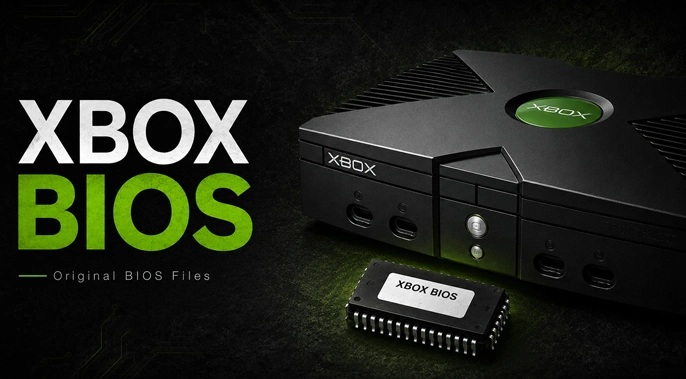
XBOX Bios
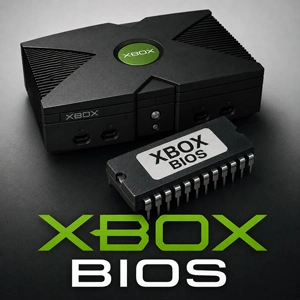
The name Xbox BIOS is used for files that do not all perform the same job. A stock firmware dump belongs to a particular Xbox motherboard generation. A modified build such as Complex 4627 removes restrictions that would otherwise stop xemu from loading games. Choosing the wrong file often leaves the emulator at a black screen or unable to move beyond the early boot process.
The Xbox BIOS download pack is made for Microsoft’s first-generation console, commonly called the Original Xbox or Xbox Classic. It has no connection to Xbox 360 firmware. Nine BIOS images are included: seven Microsoft retail kernels, beginning with 3944 and ending with 5838, plus two modified Complex 4627 builds.
After extracting the archive, open the xemu folder first. It contains the two Complex builds used for emulation. The retail folder holds the seven numbered Microsoft firmware images. xemu needs one Flash ROM file, not all nine. Start with Complex 4627 v1.03 for regular game use and leave the remaining files in their folders unless a particular setup calls for one of them.
Complex BIOS Files Used by xemu
Xemu works as a low-level emulator and recreates the Original Xbox startup sequence. It therefore needs a Flash ROM image instead of skipping the console firmware and opening a game immediately.
A Microsoft retail BIOS can begin parts of that sequence, but it cannot boot games in xemu because the emulator does not currently reproduce every original key and DRM function. Complex 4627 is modified to run unsigned software, which is why it is commonly used in working Xemu configurations.
Complex 4627 v1.03
Complex 4627 v1.03 is the first BIOS to try with xemu. It is a modified retail build rather than an untouched Microsoft firmware dump, so the virtual system can continue past the security checks that prevent games from starting with stock code.
Keep the extracted filename as Complex_4627v1.03.bin. Some emulator frontends search for that exact name when checking whether the required Xbox files are present. The image is 1 MB because the same 256 KB BIOS bank is repeated four times. That layout is expected and does not mean the archive contains several versions.
- File: Complex_4627v1.03.bin
- Type: Modified retail BIOS
- Size: 1 MB
- MD5: 21445c6f28fca7285b0f167ea770d1e5
- Recommended use: xemu
Complex 4627
This earlier Complex 4627 build is another modified retail BIOS used with xemu. It can remain available for an existing configuration that already relies on it or for comparison with v1.03. New setups should begin with v1.03 instead.
The pack contains the 1 MB Complex 4627 Retail 1.0 image. Its 256 KB bank is repeated across the full file, just as it is in the later release. Complex_4627.bin is an alternative BIOS; it is not a second system file that must be loaded beside v1.03.
- File: Complex_4627.bin
- Type: Modified retail BIOS
- Size: 1 MB
- MD5: ec00e31e746de2473acfe7903c5a4cb7
- Recommended use: Alternative xemu BIOS
Original Retail Xbox BIOS Versions
BIOS 3944 through 5838 are original Microsoft retail kernels. Their numbers identify firmware releases connected with different generations of Xbox hardware; they are not performance levels. Installing the highest number does not make an older console faster or more compatible.
Hardware matching matters when a retail BIOS is used with a physical Xbox. Flashing firmware intended for another motherboard revision can prevent the console from starting. In xemu, these stock images are better suited to firmware study and startup testing than playing games. Complex 4627 is the practical option for that.
Xbox BIOS 3944
Kernel 3944 belongs to early Xbox 1.0 hardware and is the oldest retail BIOS in the pack. It is relevant to launch-era firmware preservation and systems that specifically require the original 3944 kernel.
The image is 1 MB. Inside it, one 256 KB BIOS bank appears four times to match the larger flash layout. This repetition is normal for the file and should not be removed unless a particular tool explicitly requests a 256 KB image.
- File: xbox-3944.bin
- Type: Original retail BIOS
- Hardware: Xbox 1.0
- Size: 1 MB
- MD5: e8b39b98cf775496c1c76e4f7756e6ed
- Recommended use: Early Xbox hardware matching and preservation
Xbox BIOS 4034
BIOS 4034 is also connected with Xbox 1.0 consoles. It followed the earliest 3944 kernel but remained part of the same first motherboard family. A restoration involving a 1.0 console may call for 4034 instead of a later BIOS written around revised hardware.
This file follows the same 1 MB arrangement as 3944, with four identical copies of its 256 KB firmware bank.
- File: xbox-4034.bin
- Type: Original retail BIOS
- Hardware: Xbox 1.0
- Size: 1 MB
- MD5: b49a417511b2dbb485aa255a32a319d1
- Recommended use: Xbox 1.0 firmware matching
Xbox BIOS 4817
Kernel 4817 is associated with the Xbox 1.1 motherboard revision. This generation followed the launch design and removed the small dedicated GPU fan found in Xbox 1.0 systems. Its firmware still predates the 256 KB retail kernels used by several later revisions.
Select 4817 when the console or research environment specifically calls for an Xbox 1.1 kernel. Its 1 MB image consists of the same 256 KB bank written four times.
- File: xbox-4817.bin
- Type: Original retail BIOS
- Hardware: Xbox 1.1
- Size: 1 MB
- MD5: 430b3edf0f1ea5c77f47845ed3cbd22b
- Recommended use: Xbox 1.1 firmware matching
Xbox BIOS 5101
BIOS 5101 appears among the retail kernels used by Xbox 1.2, 1.3, and 1.4 consoles. These motherboard generations use a 256 KB TSOP layout, so the firmware file is smaller than the repeated 1 MB images supplied for earlier systems.
Some older lists extend this hardware range to Xbox 1.5, but a separate 1.5 motherboard has never been confirmed. Kernel 5101 is best kept for a known 1.2–1.4 configuration rather than treated as a general update for every Original Xbox.
- File: xbox-5101.bin
- Type: Original retail BIOS
- Hardware: Xbox 1.2–1.4
- Size: 256 KB
- MD5: 769898e9682e1f5d065b5961460d03e6
- Recommended use: Matching Xbox 1.2–1.4 retail firmware
Xbox BIOS 5530
Kernel 5530 comes from the same Xbox 1.2–1.4 hardware period as 5101. The larger kernel number marks another Microsoft firmware release, but it does not produce better game performance by itself.
Use this 256 KB image when the original console information or a firmware-related project specifically identifies kernel 5530. For xemu game loading, changing from another retail kernel to 5530 will not remove the limitations of stock firmware.
- File: xbox-5530.bin
- Type: Original retail BIOS
- Hardware: Xbox 1.2–1.4
- Size: 256 KB
- MD5: e455feb286dfc16272ad94d773c24460
- Recommended use: Exact retail kernel matching
Xbox BIOS 5713
BIOS 5713 is a later retail kernel found within the Xbox 1.2–1.4 hardware range. It keeps the same 256 KB format used by the 5101 and 5530 images.
Its value comes from preserving or recreating a system that used this exact kernel. It also provides a reference for comparing firmware from the middle and later years of Original Xbox production. The motherboard revision remains more important than simply choosing the newest number in the group.
- File: xbox-5713.bin
- Type: Original retail BIOS
- Hardware: Xbox 1.2–1.4
- Size: 256 KB
- MD5: e27bbf815c67bcbf359907a68ea46978
- Recommended use: Later Xbox 1.2–1.4 retail configurations
Xbox BIOS 5838
Kernel 5838 belongs to the final Xbox 1.6 and 1.6b motherboard families. These consoles changed several parts of the earlier design and introduced the Xcalibur video encoder. Xbox 1.6b units also moved from Samsung to Hynix RAM, which required different memory timings.
Those hardware changes are the reason to choose 5838. It is not the default BIOS for every Original Xbox simply because it carries the highest retail kernel number in the pack.
- File: xbox-5838.bin
- Type: Original retail BIOS
- Hardware: Xbox 1.6 and 1.6b
- Size: 256 KB
- MD5: c5907d241de37c22b083b6e30fa934b0
- Recommended use: Xbox 1.6 and 1.6b firmware matching
Placing the BIOS in xemu’s Boot Chain
xemu needs three separate system images before the virtual Xbox can start: an MCPX Boot ROM, a Flash ROM or BIOS, and an Xbox hard disk image. Each one has its own field in the emulator settings. The BIOS pack cannot replace the other two files.
Extract the full archive first, then open Xemu’s System settings. Select Complex_4627v1.03.bin from the xemu folder and place it in the Flash ROM or BIOS field. The remaining BIOS files can stay in their folders; xemu does not need them loaded together. Select the MCPX image and virtual hard disk in their own fields.
A recognized MCPX 1.0 dump uses the following values:
- File: mcpx_1.0.bin
- Size: 512 bytes
- MD5: d49c52a4102f6df7bcf8d0617ac475ed
Save the settings and reopen Xemu. When the display stays black, return to the file paths before changing graphics or game options. Check that the Flash ROM path ends with .bin rather than .zip. Reselect mcpx_1.0.bin, then confirm that the BIOS field contains a Complex build instead of one of the untouched retail kernels.
The Xbox startup animation or dashboard confirms that the firmware stage has completed. A game that stops after that point needs a separate check. xemu expects a compatible Xbox disc image, usually a properly prepared XISO, and changing the BIOS will not correct a damaged or incorrectly converted game file.
.jpg)