GBA BIOS (gba_bios.bin) Download for Emulators
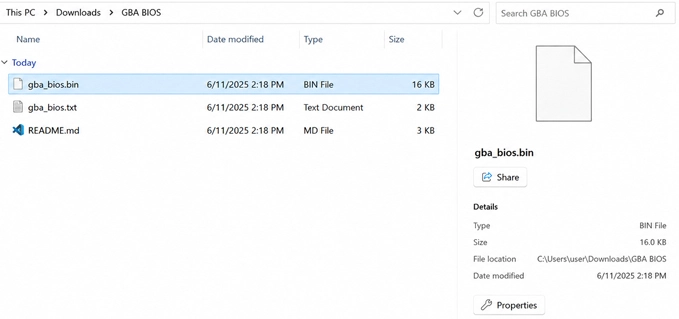
The file your emulator needs is not the ZIP itself. HexRom’s GBA BIOS download arrives as a 13 KB archive; after extracting it, you will find one 16 KB file named gba_bios.bin. It is Game Boy Advance firmware rather than a playable ROM, so it belongs in the BIOS or system location used by the emulator.
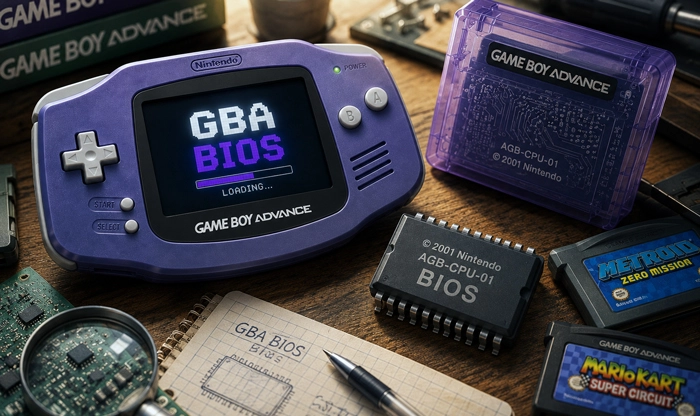
The file inside the ZIP
- Archive format: ZIP
- Extracted file:
gba_bios.bin - Extracted size: 16 KB (16,384 bytes)
- CRC32:
81977335 - MD5:
a860e8c0b6d573d191e4ec7db1b1e4f6 - Number of files: 1
Seeing 13 KB before extraction and 16 KB afterward is normal. The smaller figure is the compressed ZIP size. The MD5 value is a more dependable way to identify the BIOS because a filename can be changed without altering the data inside it. RetroArch documents the same MD5 for the Game Boy Advance BIOS recognized by its mGBA, gpSP, Beetle GBA, and VBA Next cores.
BIOS support across GBA emulators
A small system program runs when an original Game Boy Advance is switched on, before the cartridge takes control. It produces the familiar startup sequence and supplies routines that games can call for arithmetic, decompression, memory transfers, reset behavior, and some sound operations.
Emulators approach those routines in different ways. Some read the original BIOS file, while others contain replacement code of their own. This explains why the mGBA and RetroArch gpSP cores can start games without an external BIOS, yet TempGBA on PSP expects one. When an emulator supports the original firmware, gba_bios.bin Can also restore the authentic boot sequence and handle routines that may behave differently under a built-in substitute.
The BIOS is not a performance upgrade. Low frame rates, delayed controls, incorrect colors, broken audio, or a crash do not automatically mean that the file is missing. Once the correct BIOS has been recognized, those problems may come from the ROM, the selected core, an emulator setting, or the device running it.
Loading gba_bios.bin correctly
Extract the archive before moving the file. Leaving the BIOS inside the ZIP is one of the most common reasons an emulator fails to detect it. Keep the original gba_bios.bin name unless the documentation for a specific emulator asks for something different.
RetroArch uses the directory displayed under Settings > Directory > System/BIOS. Copy the extracted BIN into that folder. For the mGBA core, Use BIOS File If Found must be enabled, and the core should be restarted afterward. Standalone emulators may provide a BIOS or firmware selector instead, allowing the file to be chosen directly from its saved location.
There is no separate BIOS made specifically for My Boy. Versions of the app that display a Use BIOS option can be pointed to the same gba_bios.bin file, although My Boy may already start games through its internal implementation. The TempGBA libretro port on PSP also uses this BIOS and expects it at PSP/RETROARCH/SYSTEM/gba_bios.bin.
When a missing BIOS message remains, check the archive, filename, directory, emulator option, and MD5 separately. Windows can hide known file extensions, which sometimes leaves a renamed file as gba_bios.bin.bin even though only gba_bios.bin Appears in File Explorer.
Once the emulator recognizes the firmware, leave gba_bios.bin in the BIOS folder. Return to the ROM browser and open the .gba game instead.


.jpg)