Download Citra – Nintendo 3DS Emulator [Android & Windows]

| Console | Emulators > Nintendo 3DS |
|---|---|
| Publish | 26 Oct 2023 |
| OS | Android / Windows |
| Downloads | 5620 |
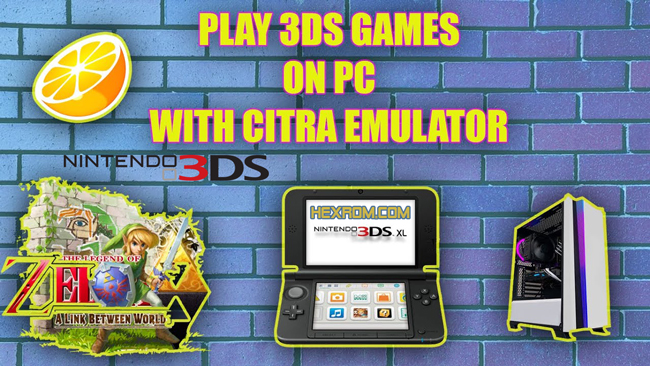
Citra is an emulator designed for Android and Windows, enabling you to play your beloved Nintendo 3DS ROM games on your device. In the ever-evolving landscape of gaming, nostalgia often beckons us to revisit the classics. Nintendo’s 3DS, with its impressive library of games, has garnered a special place in the hearts of many gamers. However, with the console itself becoming less common, the Citra emulator has stepped in as a savior, allowing players to relive their favorite 3DS titles on a variety of platforms
Table of Contents
Introduction
In the ever-evolving landscape of gaming, nostalgia often beckons us to revisit the classics. Nintendo’s 3DS, with its impressive library of games, has garnered a special place in the hearts of many gamers. However, with the console itself becoming less common, the Citra emulator has stepped in as a savior, allowing players to relive their favorite 3DS titles on a variety of platforms.
Compatibility
The initial challenges in developing Citra centered around the complex architecture of the 3DS console, but over time, its developers made significant progress in understanding and emulating the console’s hardware. This led to improved compatibility with a broader range of games.
Citra UI
Citra boasts an intuitive user interface, making it easy to navigate and set up. Users can configure control schemes, graphics settings, and audio options to suit their preferences.
Citra Features
- Compatibility with hundreds of games
- Enhanced graphics, such as resolution scaling and texture filtering (these optional features work best on high-end devices)
- Support for external gamepads
- Support for various built-in features, such as the camera, microphone, and motion controls
High Compatibility
Citra’s greatest strength lies in its ability to run a vast majority of 3DS games with remarkable accuracy. While not every title is perfectly emulated, the developers continue to make strides in improving compatibility.
High Resolution and Rendering
One of Citra’s standout features is its support for rendering games at higher resolutions than the original 3DS. This means you can enjoy your favorite games with crisper graphics on a modern PC.
Customization Options
Citra offers various customization options, allowing players to tweak graphics settings, and controls, and even experiment with mods. This flexibility enhances the overall gaming experience.
- Also See: How to play 3ds ROMs on PC? [Citra]
The nightly build of Citra contains already reviewed and tested features. If you require support with the installation or use of Citra, or you want to report bugs you should use this version. This version is still in development, so expect crashes and bugs.
The Canary build of Citra is the same as our nightly builds, with additional features that are still waiting on review before making it into the official Citra builds. We will not provide support for issues found only in this version. If you believe you’ve found a bug, please retest on our nightly builds. This version is still in development, so expect crashes and bugs.
Citra Compatible Titles
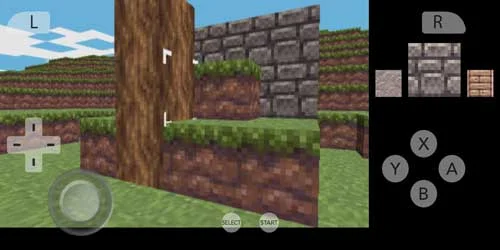
Citra’s developers are hard at work expanding the list of compatible games. Thanks to their efforts, many popular titles now run seamlessly on the emulator. Citra is compatible with several notable games, including:
The Legend of Zelda: Ocarina of Time: This classic game is enhanced by Citra’s rendering capabilities, delivering a visually stunning experience.
Pokémon Sun & Moon: The Pokémon series remains highly popular on the 3DS, and Citra allows players to explore the Alola Region with higher-resolution graphics.
Fire Emblem: Awakening: A gem for strategy and role-playing enthusiasts, with improved graphics enhancing the overall experience.
Animal Crossing: New Leaf: Citra beautifully recreates the charm and life-simulation of Animal Crossing games with smoother graphics.
Super Smash Bros. for 3DS: Fighting game enthusiasts can engage in battles with their favorite Nintendo characters on Citra, enjoying crisper graphics and enhanced performance.
With the Citra emulator, play all Pokemon Roms on your Phone or PC
System Requirements
To run Citra effectively, your computer will need to meet certain requirements. A relatively modern PC with a powerful CPU and GPU is essential for smooth gameplay. Additionally, a substantial amount of RAM is recommended to ensure seamless emulation.
Citra Tips for the Best Experience
Citra is an excellent emulator, and these tips can enhance your experience:
Regular Updates: Keeping Citra updated ensures access to the latest bug fixes and enhancements.
Graphics Configuration: Experiment with graphics settings to strike the perfect balance between performance and visual quality.
Control Setup: Use a keyboard or a gamepad to create a more immersive gaming experience.
Audio Enhancements: Citra offers audio enhancements to create a more immersive gaming experience. Discover the perfect audio balance by exploring these settings.
Game-Specific Settings: Certain games may require specific settings or workarounds to run optimally. Be prepared to make adjustments on a per-game basis.
How to run 3DS ROMs on Citra
- Download the Citra Emulator:
- Install the Citra emulator for Windows, macOS, or Android devices from Hexrom.
- Download a 3DS ROM:
- Download 3DS Roms from Hexrom
- Dump the Game:
- To create a ROM, you can dump the data from your physical copy. Special software or hardware is required to perform this extraction. Comprehensive guides for various methods can be found online.
- Place the ROM in the Appropriate Directory:
- Store the 3DS ROM on your Android device or computer in a location that is easily accessible.
- Open Citra:
- Launch the Citra emulator by clicking on its icon.
- Configure Citra:
- Customization of certain settings may be necessary the first time you run Citra. This typically includes adjustments to graphics and controls.
- Load the ROM:
- To load a 3DS ROM in Citra, go to the “File” menu and select “Load File.” Browse your directory to select the 3DS ROM. The game should load in Citra.
- Play and Enjoy:
- Once the game is loaded, you can play it on Citra. You have the option to fine-tune graphics and controls for an optimal gaming experience.
Citra FAQ
What exactly is Citra, and how does it function?
Citra is a free emulator that allows you to play Nintendo 3DS games on your Android device or computer. It emulates 3DS hardware, providing a gaming experience on other platforms.
Does Citra support online multiplayer?
Citra has made progress in supporting online multiplayer for certain games. Check the Citra forums or website for a list of games that support online multiplayer.
You May Also Like
Download Skyline Emulator – Nintendo Switch Emulator For Android
Emulators Nintendo Switch Emulators
Mupen64 AE – Nintendo 64 Android Emulator USA Download
Emulators Nintendo 64 (N64) Emulators
 Lite.jpg)