Sonic Unleashed
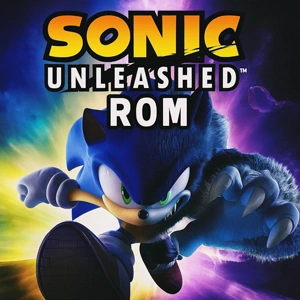
| Console | Nintendo Wii (WII) > ROMs |
|---|---|
| Publish | 01 Dec 2025 |
| Emulator | Dolphin Emulator |
| Genre | Action, Platform |
| Region | USA |
| Size | 3.4GB |
| Format | .nkit.gcz |
| Downloads | 1203 |
If you ever played games on the Nintendo Wii, there’s a good chance Sonic Unleashed stuck with you. The Sonic Unleashed ROM is a Wii Rom basically brings back that exact experience with the help of Wii Emulator. It’s the same fast-paced, colorful adventure SEGA released back in late 2008, and it still has that classic Sonic vibe people grew up with.
Sonic’s Dramatic Transformation and the Chaos Eggman Unleashes
Sonic starts the adventure the way he always does: running headfirst into trouble. But this time, Eggman goes way too far. He taps into Gaia’s power, the planet cracks open like a broken puzzle, and suddenly Sonic isn’t just “Sonic” anymore. Daytime? Pure speed. That classic rush where the world turns into a blur and you almost lean with the controller while dodging obstacles. Nighttime? A different story entirely. Sonic becomes this strange, heavy, powerful version of himself—the Werehog. Some players loved it, some didn’t, but one thing’s certain: it made the game unpredictable in the best way.
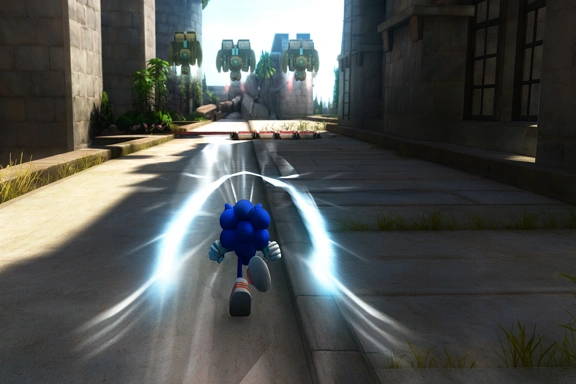
Honestly, the thing you notice most is the mood. One level feels bright and cheerful, the next looks like somebody turned on all the magical lights in the world. It shouldn’t work, but it does. The characters move in a way that feels surprisingly natural for an old Wii game, and the whole thing just… flows. And yeah, the music stays with you. Not in an annoying way more like a tune you catch yourself humming when you’re making coffee.
How to Play Sonic Unleashed ROM on a Wii Emulator
Getting Sonic Unleashed ROM running on a Wii emulator is quick.
- Install Dolphin Emulator, then keep your ROM file (.iso or .wbfs) somewhere easy to find.
- Open Dolphin, click Open, choose the ROM, and the game launches right away. If it feels slow or the audio cracks, switch the graphics backend in Settings to Vulkan or DirectX—usually fixes it.
- For controls, connect any gamepad you like and map the buttons in the Controller menu.
- That’s it. A couple of minutes and you’re ready to play.


.jpg)