RetroArch Emulator Download (Windows, Android, IOS, Mac)

| Console | Emulators > Playstation (PSX) Emulators > Playstation 2 (PS2) Emulators > Playstation Portable (PSP) Emulators |
|---|---|
| Publish | 26 Jul 2023 |
| Downloads | 903 |
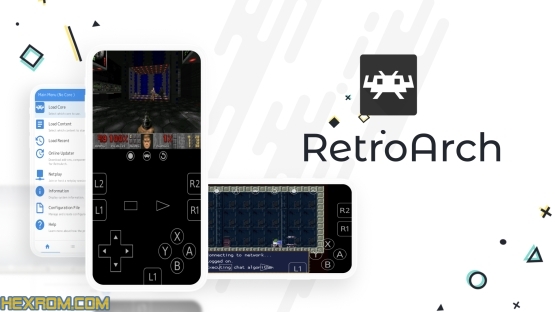
RetroArch serves as an interface between various emulators. It is powerful, versatile, and open source, allowing users to access a selection of retro and classic games on Windows and Android platforms. RetroArch’s user-friendly interface and numerous features have made it one of the top choices for those wanting to revisit earlier gaming eras. You can play PS1 Roms, PS2 Roms, PSP Roms and etc with this emulator.
Table of Contents
- RetroArch: Your All-in-One Emulation Solution
- How to Install and Use RetroArch
- How to Use RetroArch
- Conclusion
RetroArch: Your All-in-One Emulation Solution
Cross-Platform Compatibility
RetroArch allows users to easily access their favorite games from multiple platforms using just one interface.
Comprehensive Library of Emulator Cores
RetroArch supports a comprehensive library of emulator cores, each specializing in supporting specific gaming consoles like NES or SNES, ensuring accurate emulation and an authentic gaming environment.
Utilization of Libretro API
RetroArch now makes use of the Libretro API, enabling developers and emulator core creators to build emulators as libraries using RetroArch’s modular system and update regularly for improved performance.
Sleek Interface
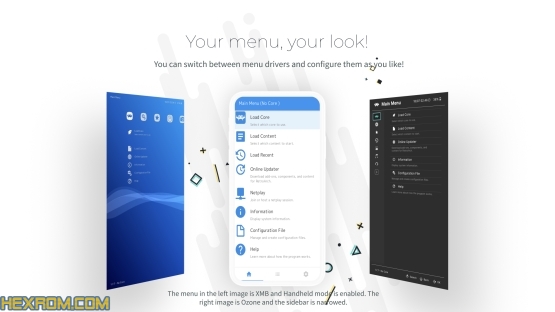
RetroArch provides users with an intuitive and attractive user experience that suits their preferences by allowing them to select different themes to suit them.
Advanced Shader Support
RetroArch offers advanced shader support, which is a graphic filter used to improve game output by smoothing pixels or adding scanlines. This allows the user to personalize their favorite games’ looks.
Netplay
Netplay allows users to enjoy multiplayer online gaming with friends even though their original title did not support online play, making classic multiplayer titles all the more entertaining and competitive.
Save States and Rewinding
RetroArch provides users with the capability to save and load game progress at any point during gameplay, and “rewind” allows them to go back in history during play – this feature can help repair mistakes or retry more challenging parts.
How to Install and Use RetroArch
For Windows
Attractively visit RetroArch’s website (https://retroarch.com) and download their latest Windows version.
Start up the installer and follow its on-screen directions until reaching the RetroArch application menu.
Download the necessary emulator cores from the RetroArch menu to start playing your favorite games.
For Android
Search Google Play Store for RetroArch and download it to any Android device.
To maximize usage of RetroArch on Android devices, utilize the Downloader feature to download the required emulator cores.
How to Use RetroArch
Adding Games
Before any game can be played in RetroArch, its files must first be imported into its RetroArch playlist. You can do this by selecting “Import from File” and choosing its game file(s).
Selecting the Core
After adding the game, select its core based on which console the game belongs to and click “Load core” to access a list of emulators from which to choose.
Configuring Controls
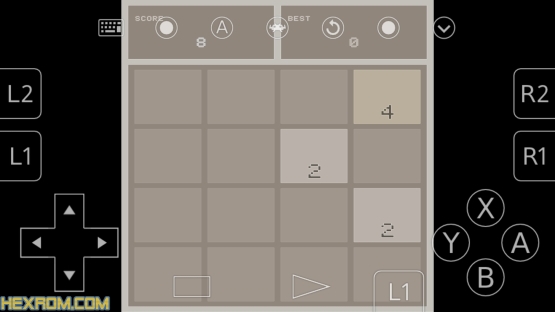
Before beginning a game, configure its core controls. Windows keyboard users may prefer playing using an external gaming controller for an immersive experience, while PC keyboard users can use a gaming controller for better control.
Customizing Graphics and Shaders
If you want to customize the graphics in your game, shaders may be just what’s needed to achieve your desired appearance. Experiment with different filters until you achieve the look you want.
Saving and Loading States
While playing, press F2 to load, and F4 to save.
Online Play
To enjoy online games with friends, access “Netplay” through the main menu, connect, and invite new people.
Conclusion
RetroArch is an amazing emulator that lets you experience classic gaming on both Windows and Android, with extensive features, compatibility across dozens of emulator cores, user-friendliness, and positive user reviews making this software popular among retro gaming fans. Whether you want to revisit old favorites or discover classic titles you haven’t played yet, RetroArch is one of the top emulators available today!