Pokemon X
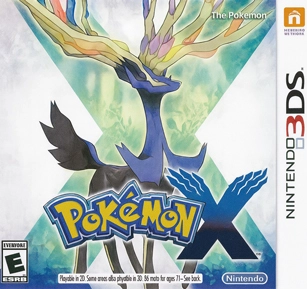
| Console | Nintendo 3DS Roms > ROMs |
|---|---|
| Publish | 12 Dec 2025 |
| Emulator | 3DS Emulator: Citra |
| Genre | Role-playing |
| Region | USA |
| Size | 1.3 - 1.6 GB |
| Format | .3DS & .CIA |
| Downloads | 42680 |
Pokemon X ROM takes the first fully 3D mainline Pokémon adventure and moves it from the small 3DS screen to hardware that actually has room to breathe. With the right setup, you can wander across Kalos on a PC monitor or Android phone, enjoy sharper visuals than the original handheld and use Citra’s tools to keep the game smooth instead of choppy.
On HexRom the dump is ready to go in both 3DS and CIA formats. You grab one archive, extract it once and end up with files that work straight away with the emulator. No hunting through half-broken mirrors, no guessing which build is usable. After that, the only thing left to worry about is which starter you want, not whether your download will boot.
Pokemon X On Citra (3DS And CIA Formats)
This Pokemon X ROM download includes a decrypted 3DS build and, when available, a CIA version. Most Citra users on Windows, Linux and Android stick with the 3DS file because it can be launched directly from the game list. Players who like to install games inside Citra’s home menu usually prefer the CIA build, since it behaves more like a title installed on a real console.
Once the archive finishes downloading, open it with a tool such as 7-Zip or WinRAR and move the contents to a folder you use for 3DS games. The .3ds file can then be loaded immediately from Citra. The CIA file can be installed from inside the emulator’s interface and appears alongside your other installed titles. Both formats are checked on current Citra builds so you do not waste time testing random ROMs that fail on the first screen.
Story And World Of Pokemon X
Pokemon X is set in Kalos, a region loosely built around French-style cities, cafés and countryside. You begin in a quiet neighbourhood called Vaniville Town, meet a small group of friendly rivals and receive your starter Pokémon before stepping onto the first route. That classic setup is still there, but the presentation changes everything.
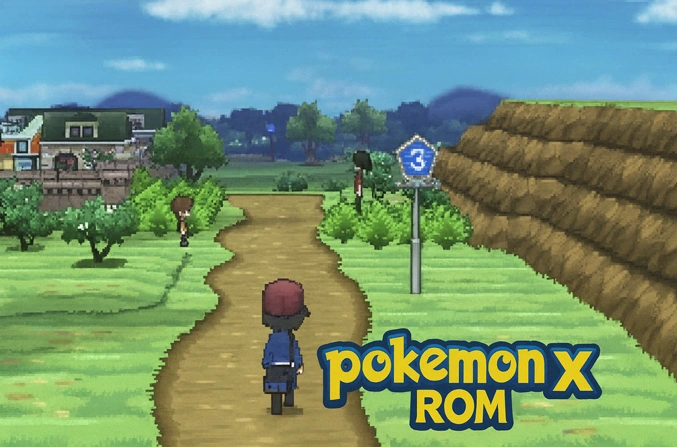
Kalos is organised around Lumiose City, a big hub with streets that fan out from a central tower. When you first walk into the city the camera swings around, NPCs wander past and the whole place feels busy in a way earlier games never reached. Routes leading away from Lumiose shift from forests to coastal cliffs, snowy paths and old stone towns, and the camera often tilts or zooms to show off bridges and landmarks. It feels more like walking through a small 3D world than moving a sprite over a flat grid.
The main story carries you through eight gyms, multiple confrontations with Team Flare and a plot that connects Kalos’s ancient war to the region’s legendary Pokémon. The tone is mostly upbeat, yet some late-game scenes hit harder than you might expect, especially once the true role of the legendary comes into focus.
Battle System, Mega Evolution And Fairy Type
Pokemon X shakes up battles in several important ways. Every fight is now rendered with 3D models, complete with proper idle animations, camera pans and attack effects. Even simple wild encounters benefit from this change, since moves finally look like they connect with the opposing Pokémon.
Mega Evolution is the big new mechanic. Certain species such as Lucario, Charizard, Gardevoir and Mewtwo can hold a special stone and transform into a stronger form for the duration of a battle. You only get to trigger one Mega Evolution per fight, so building a team often involves deciding who deserves that slot and how you plan to support them.
The Fairy type also joins the roster here. It reshapes how players handle Dragons, Dark-types and Fighting-types. Moves like Moonblast and new Fairy-type Pokémon including Sylveon and Xerneas give you more ways to patch up common weaknesses. The result is a metagame that feels less dominated by a handful of classic Dragon sweepers.
Character Customization And Extra Content
Trainer customization is one of the small touches that makes Pokemon X memorable. Not long after you start your journey you gain access to boutiques and salons that let you swap jackets, trousers, hats, shoes and hairstyles. By mid-game most players have a look that feels personal instead of the default outfit seen in every trailer.
The game also adds side systems that reward long-term play. Super Training offers a more visual way to influence a Pokémon’s stats through short exercises, which is handy if you care about building a stronger team without digging through complicated guides. Pokémon-Amie lets you feed, pet and play with your partners; higher affection can lead to moments where a Pokémon hangs on with 1 HP or shrugs off status conditions.
After the credits roll there is still plenty to chase. Post-game routes open up, Mega Stones hide in specific locations at certain times of day, the Friend Safari gives you extra species to catch and breeding options expand for players who enjoy competitive teams. None of that content is lost when you move to Citra, and in many cases it actually feels nicer thanks to the higher resolution.
Pokemon X On PC With Citra Emulator
Getting Pokemon X running on a desktop or laptop mostly comes down to a few simple steps:
- Grab the latest Citra build from the official project site or repository and install it.
- Put the extracted Pokemon X files into a folder reserved for 3DS games.
- Open Citra and add that folder to the list of game directories so the ROM appears in the main window.
- Double-click the entry or use the file menu and point to the
.3dsbuild. - Let the game reach the point where it creates a save, then exit and start it again so Citra can build shaders and cache data.
A mid-range multi-core CPU and a modest dedicated GPU already handle Pokemon X well. Older machines can still keep the adventure playable as long as you avoid high resolution scales and heavy filters. Because the game comes from the earlier part of the 3DS era, it is a little lighter to emulate than some of the big late-generation titles.
Playing Pokemon X On Android With Citra
Citra on Android makes it possible to carry Kalos around in your pocket. The exact experience depends on your chip and cooling, but recent mid-range and flagship devices do a surprisingly good job.
- Install the Android version of Citra from a trusted source like Google Play.
- Copy the extracted Pokemon X folder to internal storage, for example a directory named “3DSGames”.
- In Citra tap the plus icon, select that folder and wait for the game list to refresh.
- Launch Pokemon X from the list and allow it to reach the first save point.
- Adjust touch controls, hide buttons you never use or connect a Bluetooth pad for more precise movement.
Closing unused apps, enabling performance mode and keeping the device cool all help hold frame rate steady. If the game slows down in busy areas, reducing the internal resolution scale inside Citra usually gives a bigger improvement than any other tweak.
Best Settings For Stable Gameplay
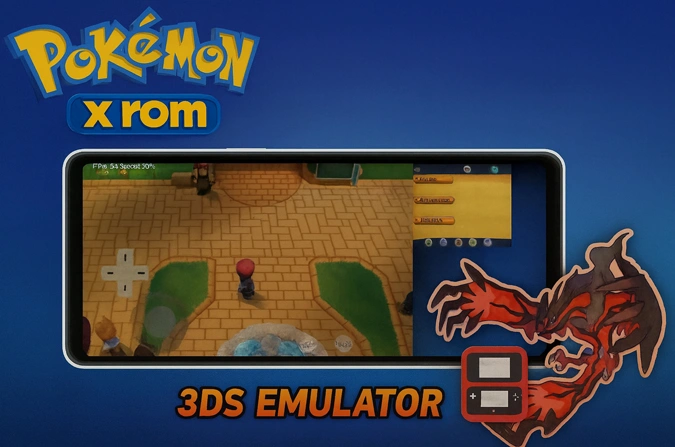
Citra includes a lot of toggles, but Pokemon X mainly benefits from a small group of options.
Graphics
- Use the hardware renderer; software rendering is too heavy for normal play.
- Start at native internal resolution and only move to 2x or 3x once you are sure your hardware can cope.
- Keep texture filtering modest and avoid extra shaders that mostly add blur or colour grading.
- Turn off visual experiments such as depth-of-field filters if you are chasing higher frame rates.
System and performance
- Enable multi-core CPU optimisations supported by your chosen Citra build.
- Leave the frame limit at its default value so timing-related issues do not appear.
- If sound starts to crackle, turn on audio stretching so music and effects remain stable even when frames drop.
With those pieces in place most of the game runs smoothly. It is normal for frame rates to dip a little in big city plazas or during certain effects, but overall progression through routes, caves and gyms feels solid.
Pokemon X And Pokemon Y Version Differences
Pokemon X and Pokemon Y share the same basic plot and map layout, yet they do not play exactly the same. Each version has its own mascot legendary, different wild encounters in a few locations and a set of exclusive Pokémon that you will not see without trading.
In Pokemon X you meet Xerneas, a Fairy-type legendary that fits naturally into a lot of story teams thanks to its typing and movepool. Some version-exclusive species lean toward that lighter theme, while Y focuses more on its darker legendary. Certain Mega Stones and items also show up at different points depending on which game you have, giving each version a slightly different rhythm as you move through the late game.
For many players Pokemon X feels like the ideal starting point in generation six: strong Fairy representation, a bright legendary and a tone that matches the new 3D style of the region.
Pokemon X Citra FAQ And Common Fixes
Fatal Error On Citra When Launching Pokemon X
If Citra shows a fatal error as soon as you try to launch Pokemon X, start with the basics. Confirm that the file size of your ROM matches the value listed on HexRom and that you extracted the archive completely before loading it. Incomplete downloads and half-extracted files cause a large share of these crashes. Redownload the archive if needed, extract it again and load the .3ds file directly inside Citra instead of running it from within a compressed container. Updating Citra to a recent stable or nightly build also solves many odd crashes that older versions struggle with.
Freeze During Battle Or Mega Evolution
Freezes during early battles or the first Mega Evolution sequence are usually tied to shader compilation. When a new effect plays, Citra sometimes pauses while it builds the necessary data. The first time this happens, give the emulator a moment to finish its work. If the game locks every single time, clear the shader cache for Pokemon X in Citra’s folders, restart the emulator and try again with more conservative graphics settings before turning extras back on.
Low FPS In Lumiose City And Busy Areas
Large scenes such as the wide boulevards of Lumiose City put extra pressure on the CPU and GPU. If movement starts to feel sluggish there, drop the internal resolution to native, disable anti-aliasing and reduce or remove texture filtering. On Android, switch to a high-performance power profile, keep the device on charge and avoid playing while the phone is already hot. These steps usually smooth out camera pans and make running through crowded streets less choppy.
Choosing Between 3DS And CIA Builds
From a gameplay perspective Pokemon X is identical in both formats. The 3DS ROM is straightforward: you point Citra at the file and play. The CIA build fits better if you like to install titles into Citra’s system and launch them from a menu that resembles a handheld home screen. Saves, story progression and content are the same, so the decision mostly comes down to how you prefer to organise your collection.
Moving Save Data Between PC And Android
Carrying one adventure between devices is possible by copying your saves manually. On PC, open Citra’s user directory, locate the folder that belongs to Pokemon X and copy the main save file to your phone. On Android, paste it into the equivalent folder inside Citra’s data directory, replacing the old file after you make a backup. Always close the game fully before moving anything so you do not lose progress that has not been written to disk yet.
Pokemon X On Citra Today
Playing Pokemon X on Citra remains a very comfortable way to revisit generation six now that many original cartridges are packed away. The mix of 3D battles, Mega Evolutions, a stylish region and flexible trainer customization still holds up, especially when the game runs at higher resolutions on a monitor or modern phone.
With a verified dump from HexRom, a bit of care during setup and a few smart choices in the Citra settings menu, you can enjoy the full journey from Vaniville Town to the Pokémon League without constant technical headaches. Build a new team, experiment with different Mega options, clear the gyms once more and give Kalos another trip on hardware that does it justice.
.jpg)


Can I Install Pokemon X Rom On Citra?
Yes, After installing Citra on your device, import Pokemon X and enjoy playing.
I’ve played every generation of Pokemon, from 1-to 7. I can say that Pokemon X & Y are my absolute favorite games! This series deserves 6 stars out of 5. These games are a joy to me, and I don’t care if they are hated by others. These games are essential for anyone who is interested in Pokemon.
What should I download for my Android? .3ds or .cia? What’s the difference?
.3ds if you using Citra emulator.
A very nice game , good graphics , adventure & everything is awesome
Can i play cia on eggns emulator
How to fix the bug in shalor city where we meet mega evolution guru where the speed of choosing the option is high how to solve that pls tell mev
Hey hexrom games
I downloaded ci file and I tried to play it on Citra emulator but it say Fatal Error
Please tell me a solution for this problem
I have gaming phone
With 8GB ram
Please i will be waiting for your reply
Hi, Download the .3ds rom and try it
Can I play pokemon x rom on android?
Yes, use Citra emulator
Pokemon X Rom CIA is for Citra? can I Download .3ds files for Citra?
.3ds is for citra
Hey quick question, is the .CIA file better for performance or should I stick with .3DS for Android?
Stick with the .3DS file for Android. It loads faster and runs smoother than .CIA on most phones.
Finally found a version that actually WORKS on Citra without weird crashes. Thanks a ton for sharing this!!
Idk why but it keeps freezing when I try to mega evolve… anyone else having this issue??
Man this bring back so much memories 🥹. Thank you for making this available!!
Man Kalos was such a vibe. First time seeing Mega Charizard X and I freaked out 😂 good times.
Playing Pokemon X on a ROM with an emulator like Citra is amazing The graphics are smooth and it runs great on both my PC and phone. I love being able to experience the classic game with optimized performance. Highly recommend for any Pokemon fan