Need For Speed Underground Rom

| Console | PS2 ROMs & ISOs > ROMs |
|---|---|
| Publish | 22 Dec 2025 |
| Emulator | PS2 Bios |
| Genre | Racing, Simulation |
| Region | USA |
| Size | 2.04 GB |
| Downloads | 976 |
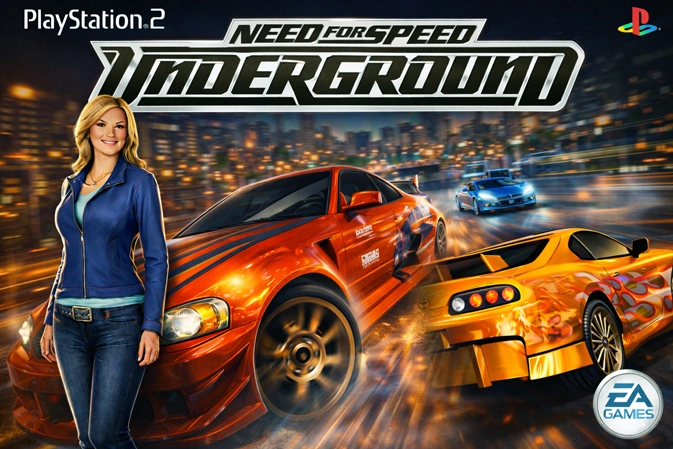
Need for Speed Underground on PS2 still nails that early-2000s street-racing mood: night tracks, neon glow, loud builds, and a career that keeps you moving. If you’re here for the Need for Speed Underground PS2 ROM in ISO format, the good news is that this game usually plays well once the basics are in place. Most of the real enjoyment comes from the loop itself—race, earn cash, upgrade, then feel the difference on the next run.
Street racing that stays fun
Underground doesn’t try to be a massive driving sim. It stays focused and that’s why it works. Events are short enough to replay without feeling like a grind, but the rewards stack fast enough that your car changes week by week in your head, not just on a menu screen. The sense of momentum is constant, especially when you hit that point where a new turbo or handling upgrade turns “almost winning” into comfortable wins.
Modes that keep the career moving
Circuit and sprint races
These are the core of the game. They reward smooth driving, clean exits, and staying composed when traffic or bumps try to throw you off.
Drag events
Drag is about rhythm. A strong launch and steady shifts beat messy inputs. It’s quick, intense, and a nice change of pace when you want something short but competitive.
Drift events
Drift has its own flow. Big angles look cool, but control is what keeps the points climbing. A stable slide you can hold is worth more than a wild swing that ends the run.
Upgrades that actually change the car
It’s easy to scatter money across everything, but Underground feels better when you build with a purpose.
Performance parts
- Acceleration helps you recover after corners and keeps sprint races under control.
- Handling upgrades are the most “felt” changes for most players, especially on tighter tracks.
- Top speed becomes more important later, but early on it’s usually smarter to keep the car stable instead of chasing max speed.
Visual customization
Cosmetics are a big part of Underground’s identity. Even small choices—wheels, bumpers, paint, vinyls—make the car feel personal. That matters more than people admit, because it keeps the career feeling fresh while you grind through upgrades.
Driving feel and quick habits that help
A few simple habits make the game feel smoother without turning it into a technical project.
- Brake a bit earlier than your instinct, then roll back on throttle on the exit.
- Avoid sudden steering snaps at high speed; gentle inputs keep the car planted.
- Use nitrous on clean exits or short straights where the car is already stable.
Those habits don’t just help you win—they make the game feel more satisfying, especially in close races where one bad corner decides everything.
Career progress that stays steady
Underground rewards consistency more than constant switching.
- Stick with a car long enough to build it properly, then switch when you actually want a different feel.
- When you need cash for a bigger jump, replay one event you run well instead of buying tiny upgrades repeatedly.
- In drag, focus on timing first. Once your rhythm is solid, speed upgrades feel like a real upgrade instead of a band-aid.
PS2 ISO format notes
This release is a PlayStation 2 ISO. is the standard disc image format, and it’s usually the simplest option for setup and compatibility.
- If the file arrives in ZIP, RAR, or 7Z, extract it first and confirm the final file ends with .iso.
- Run the ISO from normal storage, not from inside the archive.
- Keeping each game in its own folder helps you stay organized if you download more PS2 titles later.
Stable emulator baseline on PC
On PC, a simple baseline beats a long list of tweaks.
- Start with default settings and run a couple of races before changing anything.
- If it stutters, don’t chase ten options at once. Switch the graphics backend first, test again, then adjust from there.
- Only raise internal resolution after the game runs smoothly at default resolution.
That approach keeps the experience predictable and makes it easier to understand what actually helped.