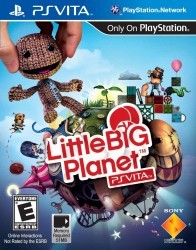
LittleBigPlanet

| Console | PS Vita > ROMs |
|---|---|
| Publish | 23 Feb 2026 |
| Emulator | Vita3K: PS Vita Emulator |
| Genre | Platformer |
| Region | USA |
| Format | .iso |
| Downloads | 1210 |
Start LittleBigPlanet on PSP, and it feels like someone packed a messy craft table into a handheld. Cardboard textures, stitched edges, little props that look taped together, and Sackboy bouncing around like a toy that refuses to sit still. It’s lighthearted on the surface, but the level design keeps you engaged because it constantly asks for small, smart moves.
A handheld take that keeps the identity
This isn’t a lazy port that got squeezed until it barely works. The PSP version is built around shorter bursts of play, quick checkpointing, and challenges that fit a portable rhythm. Stages move at a good pace, and the game rarely wastes time. You jump, grab, shove objects, and trigger simple mechanisms, then the next section flips the idea and makes you approach it from another angle.
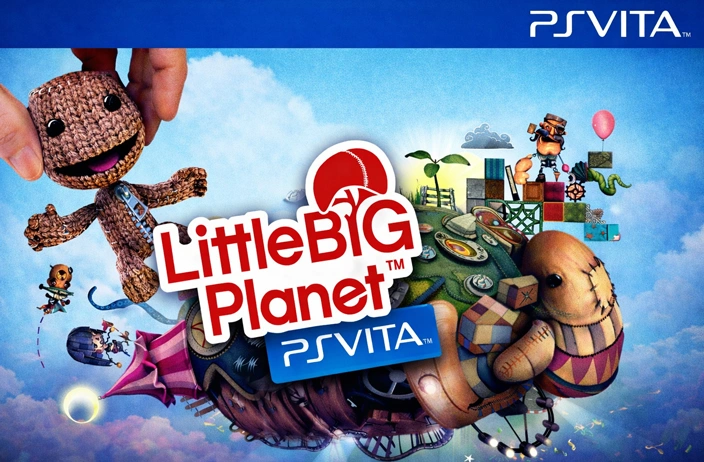
It also nails that LittleBigPlanet feeling where the world is part of the gameplay. The scenery isn’t just decoration. Many props behave like real objects, and that makes even basic platforming feel more alive.
Platforming powered by physics
LittleBigPlanet on PSP plays best when you treat it as precision platforming with playful physics, not pure speed. Timing and momentum matter. A small bump can send an object rolling. A late grab can turn a clean landing into a fall. At the same time, the physics creates those funny “I can’t believe that worked” saves that make the game charming instead of harsh.
A big part of the fun is how many problems have more than one answer. Sometimes the obvious route is harder than a side path. Sometimes pushing a box is safer than trying to jump clean. The game rewards players who slow down for a second, look around, and experiment.
Story stages, secrets, and replay value
The main story levels are the best way to experience the PSP release. New mechanics show up gradually, and the game teaches through play instead of long explanations. You’ll run into sections that feel like obstacle runs, followed by short interaction puzzles that break up the pace.
Collectibles are a big reason the stages stay fun after the first clear. Many items are placed in spots that you won’t notice while you’re focused on surviving. When you replay a level with the layout already in your head, those hidden paths suddenly feel obvious. That second pass often becomes the run where you play cleaner, take small risks, and explore without pressure.
Create Mode on PSP
Create Mode is the series’ signature feature, and the PSP version keeps that creative spirit. You can place objects, set hazards, adjust timing, and build small gameplay ideas that feel surprisingly close to the main levels. The toolset is friendly enough to start with a basic obstacle path, then slowly add moving parts, triggers, and goofy physics moments.
This mode is also where you can feel how LittleBigPlanet thinks as a game. It’s less about building something perfect and more about testing, tweaking, and enjoying the process. Make a jump too easy, it becomes boring. Make it too tight, it becomes annoying. That balancing act is the same craft the official levels use, and it’s fun to play with.
LittleBigPlanet PSP ROM format and ISO details
Most versions of LittleBigPlanet PSP ROM are found as an ISO file. ISO is a common PSP game format, so it’s straightforward to use on real hardware with the right setup and also with a PSP emulator. LittleBigPlanet PSP ISO is also the format most players expect when loading the game in PPSSPP.
Saving works normally, but one simple habit helps avoid headaches. Stick with one release for your full playthrough. Swapping between different versions mid-way can lead to strange save behavior on certain setups, especially if you move between devices.
PPSSPP tips that focus on real results
LittleBigPlanet usually runs well in PPSSPP, but it can stumble when you push visuals too hard. The fastest improvement for stutter is often lowering internal resolution a notch rather than chasing a long list of switches. This game feels best when input response is smooth, because a tiny delay can mess with grabs and landings.
If audio starts crackling, that’s often a performance symptom, not a broken file. Keeping settings balanced tends to solve it. A stable run with consistent sound is far more enjoyable than a sharper image with micro-stutters.
For most people using a PSP emulator on Android or PC, the sweet spot is good visuals with steady performance. LittleBigPlanet’s art style carries itself even without aggressive upscale.
Control habits that make the platforming feel cleaner
LittleBigPlanet rewards calm inputs. You don’t need complicated tricks, just a few consistent habits:
- Use grab often, especially near moving objects and narrow ledges, because it saves mistakes that would otherwise cost a restart.
- Take half a second to read the room before jumping; many stages hide the safer route slightly off the main line.
- When a section feels frustrating, try a slower approach first. The physics can punish rushing more than it punishes caution.
After a short while, your movement starts to feel more deliberate, and the game becomes less about surviving the level and more about flowing through it.
The parts that stick in your memory
LittleBigPlanet doesn’t rely on big cinematic moments to stay memorable. It wins through details. The materials look handmade. The animations have bounce and personality. Sound effects make every grab and landing feel satisfying. Even when a segment gets tricky, the mood stays playful, so you don’t feel like the game is trying to bully you.
LittleBigPlanet PSP ROM is a strong pick for anyone who wants a platformer with character, replayable stages, and a creative side that can easily turn into its own time sink. It’s easy to start, hard to put down, and it feels right at home on a handheld.